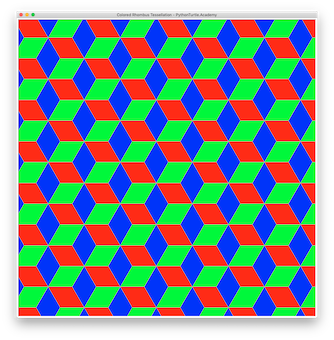
Colored Rhombus Tessellation with Python Turtle 04/15/201904/15/2019 | J & J Coding AdventureJ & J Coding Adventure | 0 Comment | 7:52 pm Categories: Difficulty Level 6 loop math Add colors to the Rhombus Tessellation. Tags: loop, math, tessellation Post navigation PREVIOUS Previous post: Rhombus Tessellation with Python TurtleNEXT Next post: Semi-Regular Tessellation 3.4.6.4 with Python Turtle Related Post Jastrow Illusion AnimatedJastrow Illusion Animated 11/22/201911/22/2019 | J & J Coding AdventureJ & J Coding Adventure | 0 Comment Animate the Jastrow Illusion by sliding the shape on the bottom towards the one on the top. READ MOREREAD MORE Random MeshRandom Mesh 03/15/201903/15/2019 | J & J Coding AdventureJ & J Coding Adventure | 0 Comment You drew a square grid in a previous project. Randomize the positions of the crossing points to draw a random mesh that looks like the image here: READ MOREREAD MORE Rhombus MadnessRhombus Madness 08/04/202208/04/2022 | JinshengJinsheng | 0 Comment Use Python and Turtle and Random library to draw the 50 random Rhombus shapes as shown in the following figure. Hints: Make a function that draws a rhombus given the READ MOREREAD MORE
Jastrow Illusion AnimatedJastrow Illusion Animated 11/22/201911/22/2019 | J & J Coding AdventureJ & J Coding Adventure | 0 Comment Animate the Jastrow Illusion by sliding the shape on the bottom towards the one on the top. READ MOREREAD MORE
Random MeshRandom Mesh 03/15/201903/15/2019 | J & J Coding AdventureJ & J Coding Adventure | 0 Comment You drew a square grid in a previous project. Randomize the positions of the crossing points to draw a random mesh that looks like the image here: READ MOREREAD MORE
Rhombus MadnessRhombus Madness 08/04/202208/04/2022 | JinshengJinsheng | 0 Comment Use Python and Turtle and Random library to draw the 50 random Rhombus shapes as shown in the following figure. Hints: Make a function that draws a rhombus given the READ MOREREAD MORE