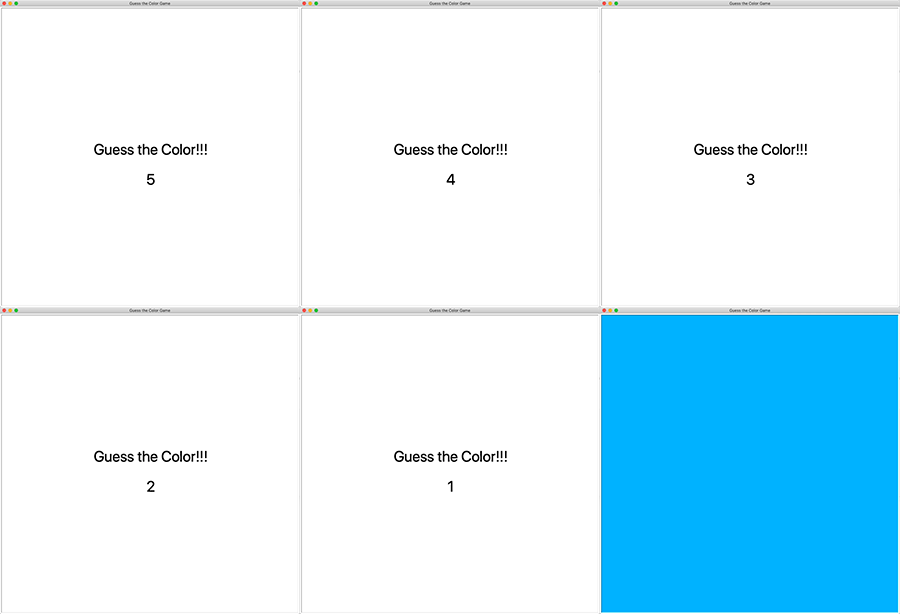
Guess The Color Game 05/05/201905/05/2019 | Ohm PatelOhm Patel | 0 Comment | 5:12 pm Categories: animation Difficulty Level 3 events timer events Use Turtle Animation to draw a random color after 5 seconds. Tags: animation, event, timer event Post navigation PREVIOUS Previous post: Tesla Logo with Python TurtleNEXT Next post: Captain America Logo with Python Turtle Related Post Archimedean SpiralArchimedean Spiral 03/04/201903/04/2019 | J & J Coding AdventureJ & J Coding Adventure | 0 Comment You drew concentric circles in a previous project. Now draw a circle spiral called Archimedean Spiral. Related Projects: Concentric Circles Spiral READ MOREREAD MORE Rotating Color WheelRotating Color Wheel 02/28/201902/28/2019 | J & J Coding AdventureJ & J Coding Adventure | 0 Comment Draw a rotating color wheel. Related Project: Rotating Wheel Color Wheel READ MOREREAD MORE Second Hand Only Analog ClockSecond Hand Only Analog Clock 03/01/201903/01/2019 | J & J Coding AdventureJ & J Coding Adventure | 0 Comment Use turtle animation to draw an analog clock with only second hand. You can either use turtle timer event or use time library’s sleep function to make the clock move. READ MOREREAD MORE
Archimedean SpiralArchimedean Spiral 03/04/201903/04/2019 | J & J Coding AdventureJ & J Coding Adventure | 0 Comment You drew concentric circles in a previous project. Now draw a circle spiral called Archimedean Spiral. Related Projects: Concentric Circles Spiral READ MOREREAD MORE
Rotating Color WheelRotating Color Wheel 02/28/201902/28/2019 | J & J Coding AdventureJ & J Coding Adventure | 0 Comment Draw a rotating color wheel. Related Project: Rotating Wheel Color Wheel READ MOREREAD MORE
Second Hand Only Analog ClockSecond Hand Only Analog Clock 03/01/201903/01/2019 | J & J Coding AdventureJ & J Coding Adventure | 0 Comment Use turtle animation to draw an analog clock with only second hand. You can either use turtle timer event or use time library’s sleep function to make the clock move. READ MOREREAD MORE