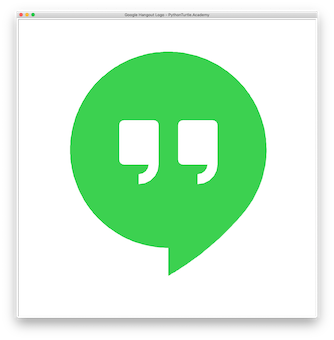
Google Hangout Logo with Python Turtle 05/06/201905/06/2019 | J & J Coding AdventureJ & J Coding Adventure | 0 Comment | 7:43 pm Categories: Difficulty Level 4 Draw the logo of Google Hangout Icon with Python Turtle. Google Hangout Logo with Python Turtle Tags: fun shapes, logo Post navigation PREVIOUS Previous post: Rounding Any Corner AnimationNEXT Next post: Bird House Related Post Hering Illusion with Python TurtleHering Illusion with Python Turtle 11/19/201911/19/2019 | J & J Coding AdventureJ & J Coding Adventure | 0 Comment Similar to Cafe Wall illusion, the red lines are actually parallel. Read more about this illusion here. READ MOREREAD MORE Tutorial: Drawing Oval with Given Center in Python TurtleTutorial: Drawing Oval with Given Center in Python Turtle 04/03/201904/03/2019 | J & J Coding AdventureJ & J Coding Adventure | 0 Comment In a previous tutorial, we explained how to draw an oval shape. The method starts drawing from an awkward position (the left end of the first arc). In this tutorial, READ MOREREAD MORE VertigoVertigo 03/04/201903/04/2019 | J & J Coding AdventureJ & J Coding Adventure | 0 Comment In a previous project you drew a circle spiral. Now animate it to a vertigo effect. Vertigo Animation READ MOREREAD MORE
Hering Illusion with Python TurtleHering Illusion with Python Turtle 11/19/201911/19/2019 | J & J Coding AdventureJ & J Coding Adventure | 0 Comment Similar to Cafe Wall illusion, the red lines are actually parallel. Read more about this illusion here. READ MOREREAD MORE
Tutorial: Drawing Oval with Given Center in Python TurtleTutorial: Drawing Oval with Given Center in Python Turtle 04/03/201904/03/2019 | J & J Coding AdventureJ & J Coding Adventure | 0 Comment In a previous tutorial, we explained how to draw an oval shape. The method starts drawing from an awkward position (the left end of the first arc). In this tutorial, READ MOREREAD MORE
VertigoVertigo 03/04/201903/04/2019 | J & J Coding AdventureJ & J Coding Adventure | 0 Comment In a previous project you drew a circle spiral. Now animate it to a vertigo effect. Vertigo Animation READ MOREREAD MORE